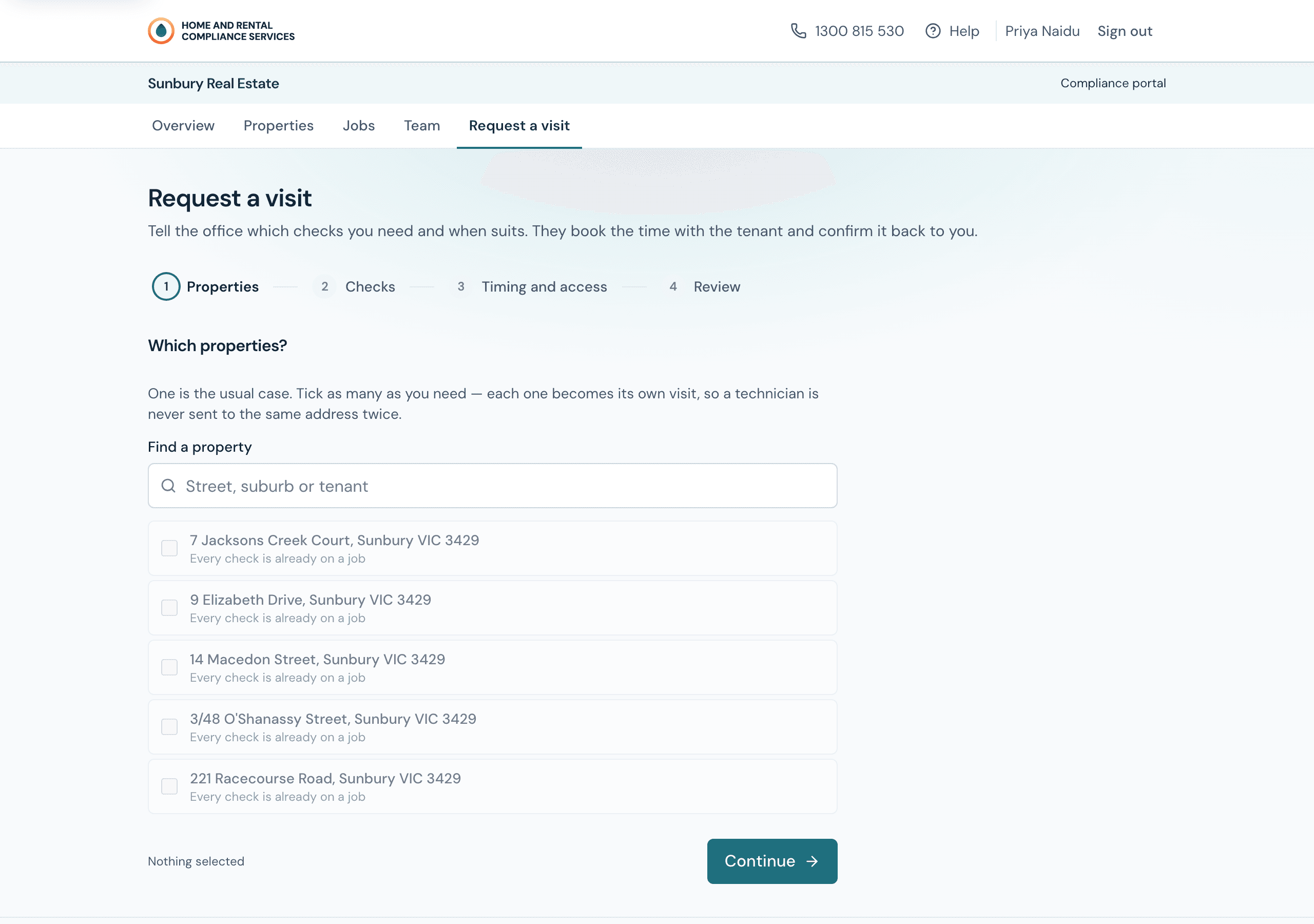
Answers on the screen, and a person on the phone
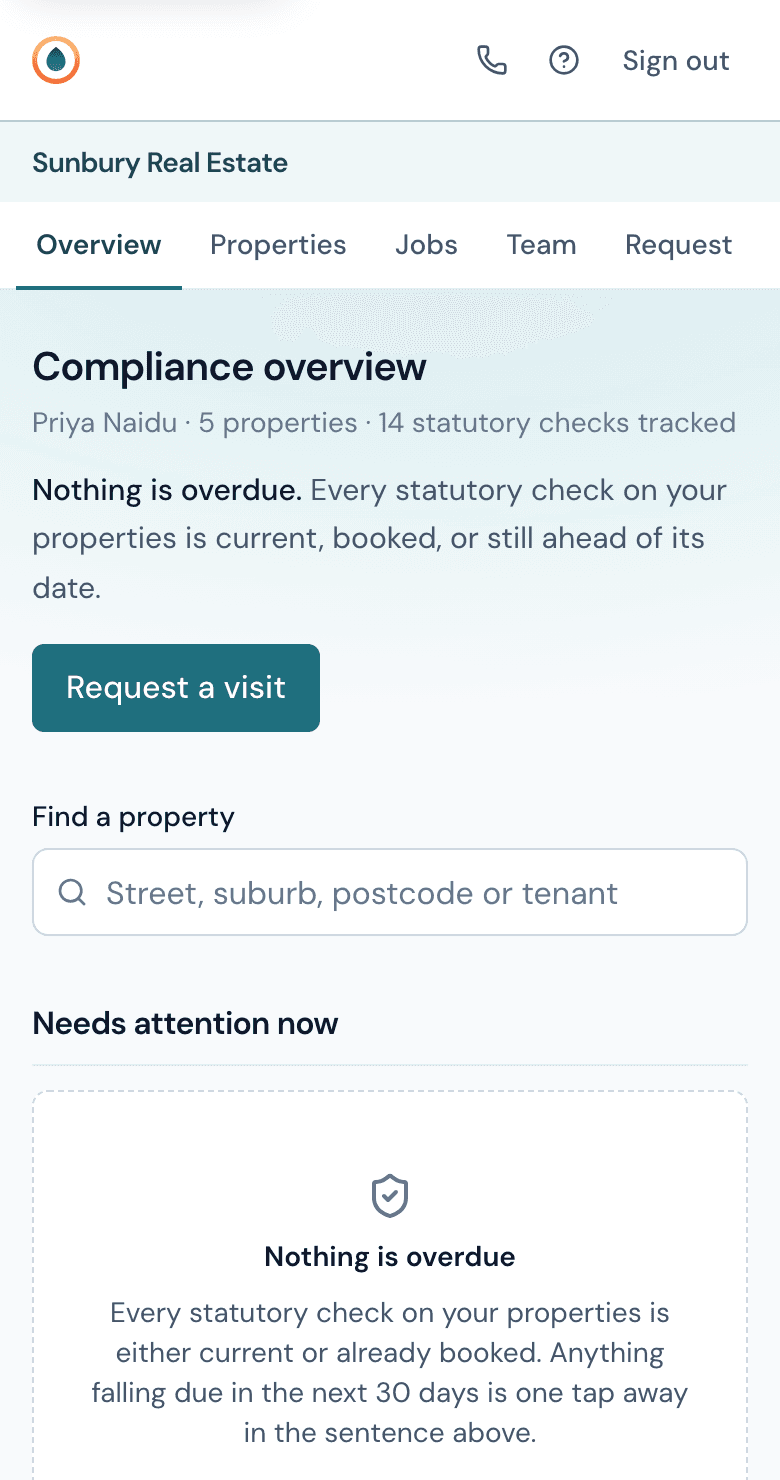
Every agency we work with gets a portal for its own property managers. It works properly on a phone, and it is built around one question: what is overdue?
Already a client? Sign in.
Six screens, each answering one question
Every screen answers one question a property manager actually asks. The question is the heading.
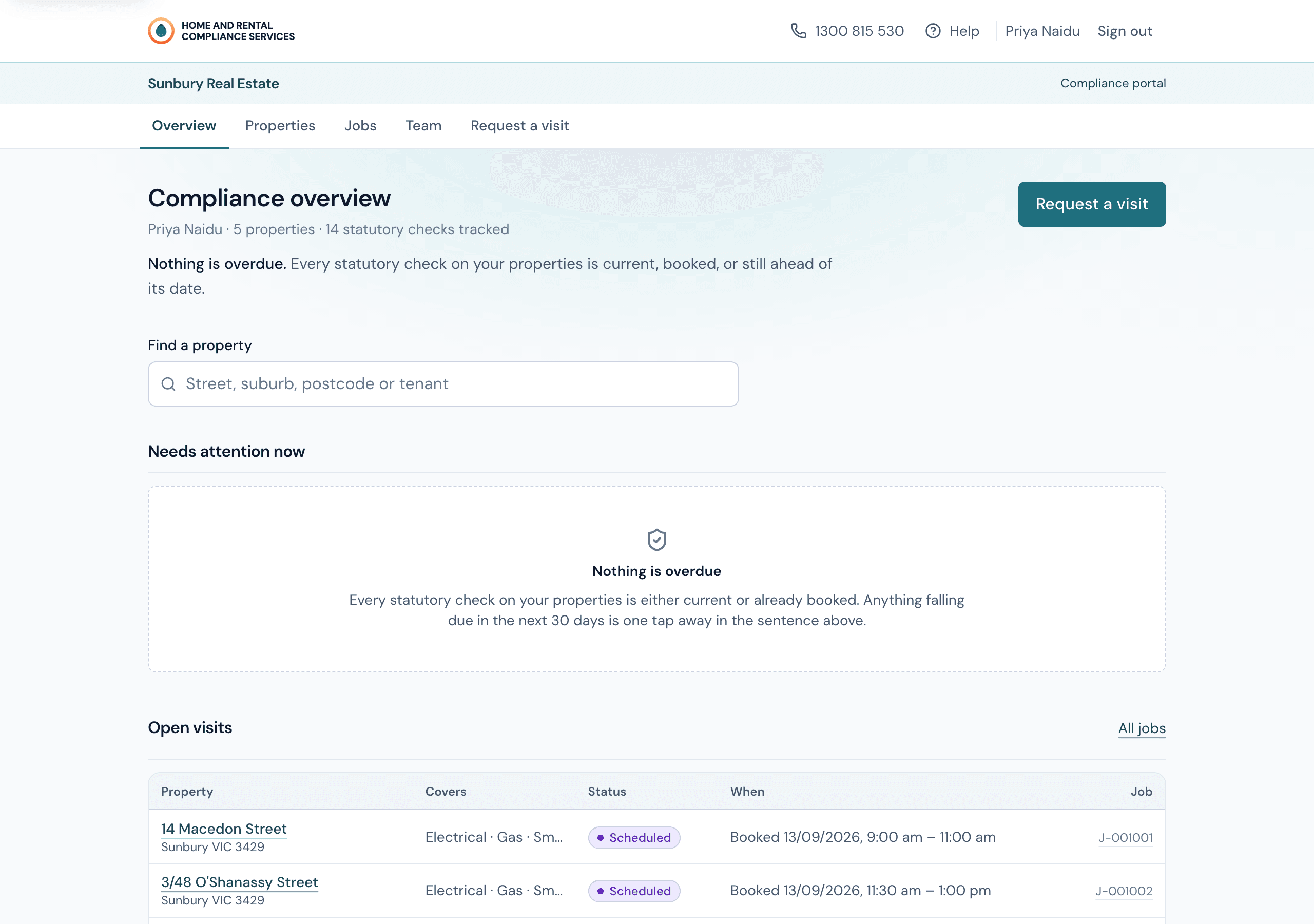
What is overdue, and what is next?
Opens on the numbers that matter — overdue, due in the next thirty days, booked — and then the properties behind them, worst first. If it takes longer than ten seconds to read, the portal has failed.
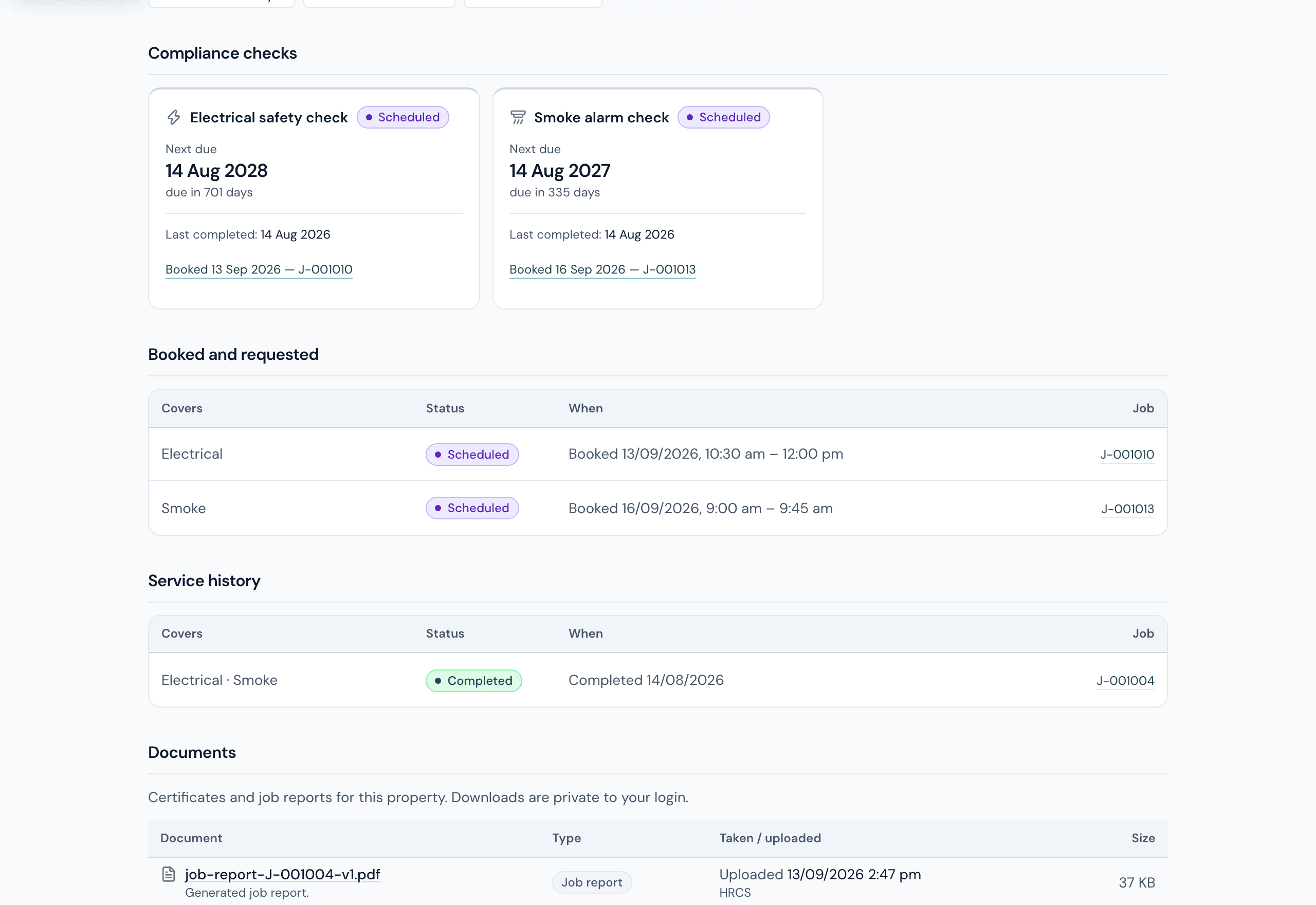
Where does this one property stand?
Every property you manage, searchable, with each check's status and next date on the row. Open one and you get the full history: every visit, who attended, what they found, and every document.
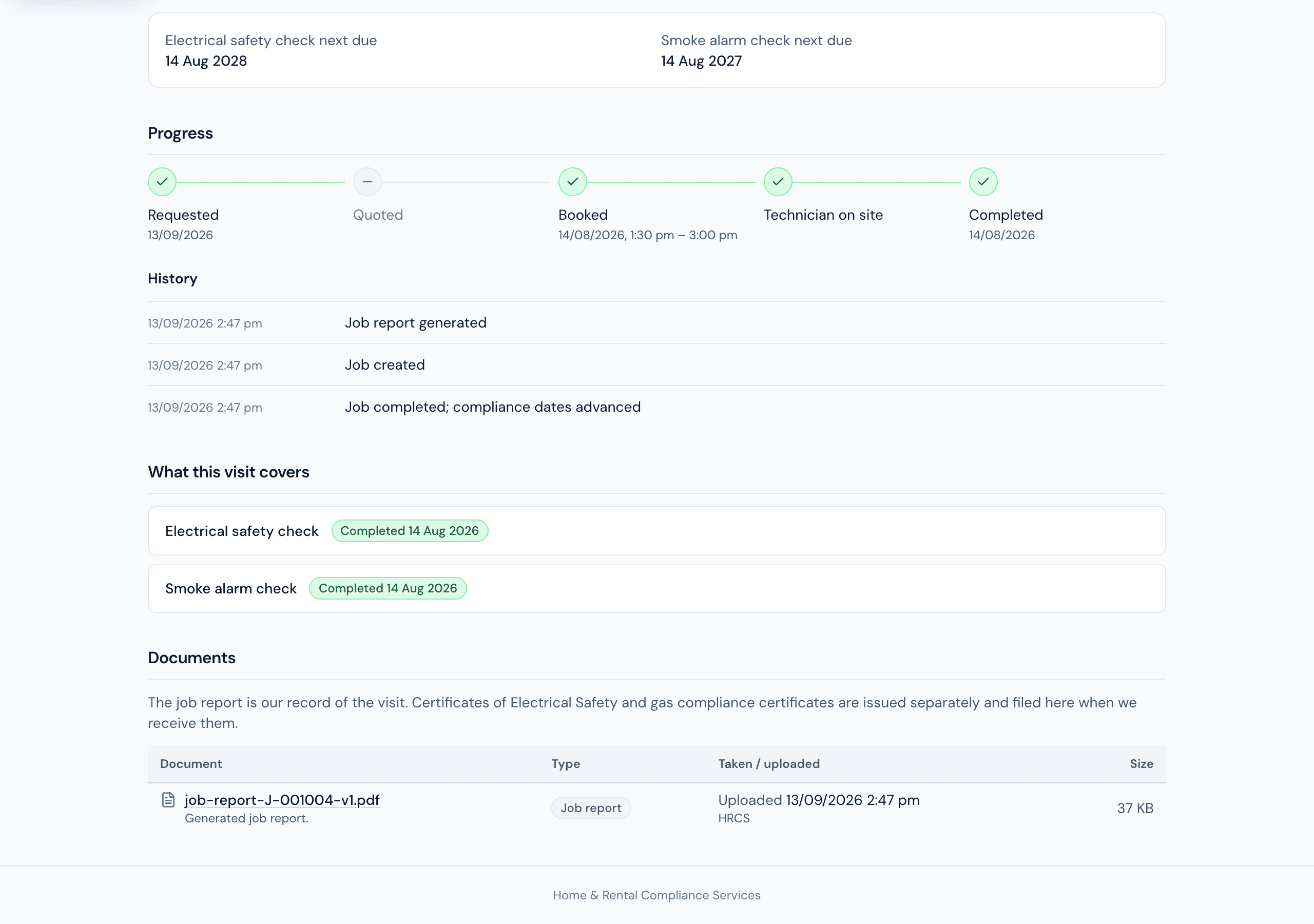
Where is the visit I asked for?
A timeline from request through booked, attended and done. Check it at any hour, or ring the office and we will talk you through it — both answers are the same because both read the same record.
Can you get to this one sooner?
Pick the property, tick the checks, say when suits and whether you have spoken to the tenant. It lands in our queue as a real request and you follow it from the same screen.
We have taken on twelve more.
Upload them yourself on a spreadsheet, mapped and checked before anything saves. New managements do not need an email to our office.
The owner wants proof.
Your whole position as a spreadsheet, and every certificate and report as a file, on demand. Documents open through short-lived links rather than public URLs, so a link that leaks does not stay useful.
Four things the database guarantees
These are not policies somebody could forget to apply on a new screen. Each one is enforced underneath the application, which is the only place a promise about data actually holds.
You see your agency's records and nothing else
Enforced in the database, not by a filter in the interface. A request for another agency's property does not return a permission error that confirms it exists — it returns not found.
Tenant contact details stay with us
The portal shows a tenant's name where it is needed and never their phone or email. We are the ones who contact tenants, so the portal has no reason to hold the means to.
Nothing is deleted
Properties, jobs and agencies are archived rather than deleted. A management that ends keeps its history and stops raising reminders.
Every change to a date is on the record
Changes to properties, jobs, dates, pricing and users are logged by the database itself. Nobody holds permission to write to that log from the application, so it cannot be forged or quietly tidied.
Built for a phone, not shrunk onto one
Property managers check this between inspections, standing in a driveway, one hand on a phone. So it is a single column with real tap targets rather than a desktop table squeezed into 375 pixels, and the first screen is the answer rather than a dashboard you have to interpret.
Status is never carried by colour alone — every badge says the word too — and the whole interface meets WCAG 2.1 AA.
Red means exactly one thing
Across this whole product, red is reserved for a check that has gone past its date. Not form errors, not delete buttons, not a failed integration. Those are amber.
It sounds like a small decision. It is the reason someone can scan a list of five thousand properties and trust what they are looking at.
Questions about the portal
Do you issue the certificates?
No, and nobody in this industry can. A Certificate of Electrical Safety is issued through Energy Safe Victoria by the electrician who did the work, and a gas compliance certificate the same way by the gasfitter. What we do is upload it against the job the moment it comes through, so it is on the property record and you can download it whenever you need it.
Can we move our rent roll across without re-typing it?
Yes. Upload a spreadsheet of your properties with whatever last-check dates you have. You map the columns once, we show you the errors before anything is saved, and you see a preview before it commits. If your dates are patchy we work through the gaps with you rather than quietly booking everything at once.
What does the portal actually show us?
Your properties, each check's status and next date, the history of every visit, and every certificate and report to download. You can request a visit, add new properties and follow a job from request to done at any hour — and the office is on the phone when you would rather ask. You only ever see your own agency's records.
How quickly can you start?
An agency is usually set up within one business day, and the first properties can be booked as soon as your list is loaded. If a chunk of your portfolio is already overdue, say so on the form and we will plan the catch-up with you before you commit to anything.
Want your team on it?
Tell us a bit about your rent roll and we will come back to you within one business day.
Or ring the office on 1300 815 530.